
Why does the system allow a staff member to “
Accept payment without invoice
�
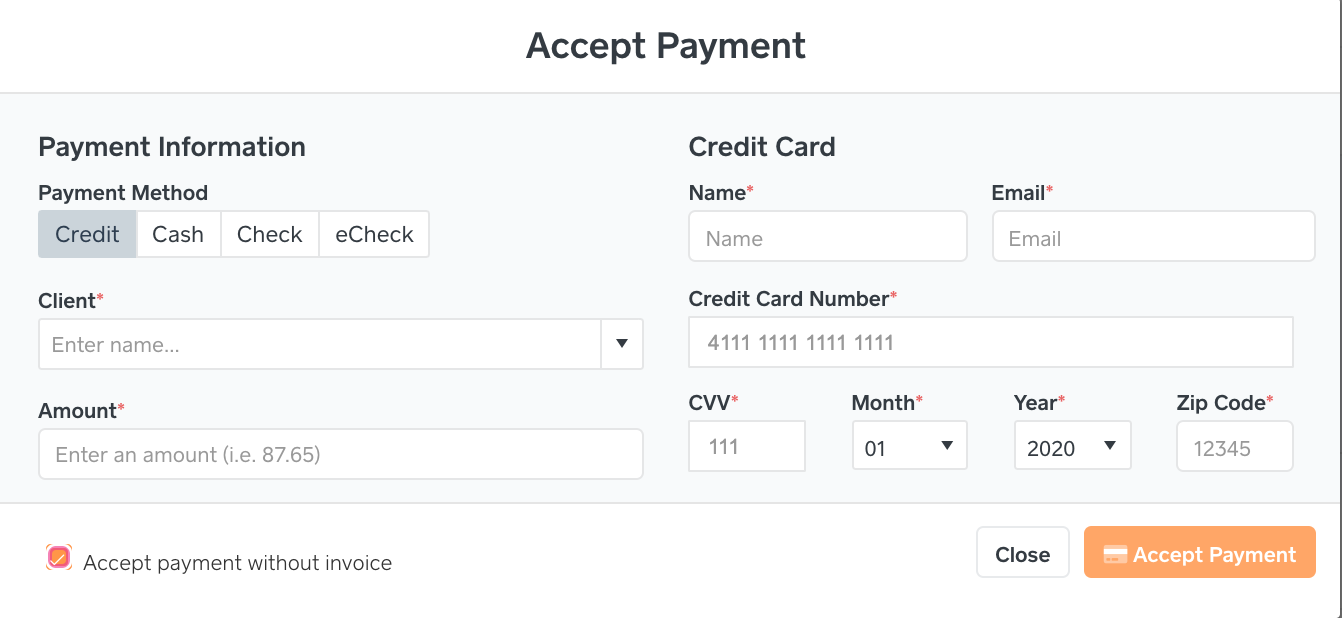

Notice at the bottom of the above screen shot, “
Accept payment without invoice†is checked.
Answer
A law firm will use this feature before a case is created when they need to accept a payment from their prospect or client. The best example of this is a Consultation Fee. Once the Case and Invoice are created, that Consultation Fee can be linked to that Invoice. Please see the note below.

After a payment is accepted without an Invoice, a staff member can still link that payment to an invoice. Go to Billing->Payments. Payments without a case or invoice are payments that are not linked to an Invoice/Case, however this payment can be linked to one via the link icon in the actions column (please refer to the below snapshot).

If a law firm is using LawPay’s app or their web page that allows a client to input any amount for payment, can later link that payment within the Billing->Payments page.