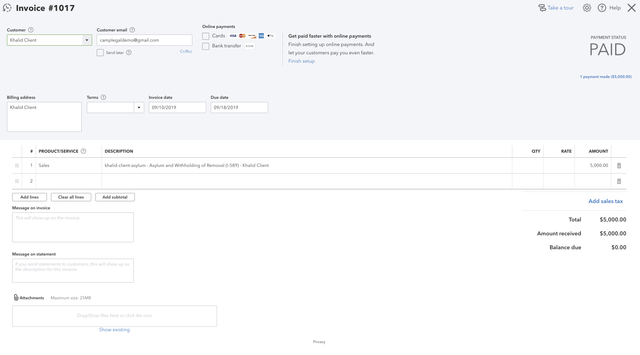
Authorizing CampLegal to access your QuickBooks will push Clients, Invoices and Payments to QuickBooks. Meaning, as the actions is happening within CampLegal, the system will push everything to QuickBooks. Your Client will not know that you're using QuickBooks, as they will interface with CampLegal only.
Here are the basics:
-
When a Client is created in CampLegal, the system creates a Customer in QuickBooks Online.
-
When an Invoice is created in CampLegal the system creates an Invoice in QuickBooks Online and links that Invoice to the Client in CampLegal and the same Customer in QuickBooks Online. For convenience and simplicity, CampLegal Invoices use the same Invoice Number that QuickBooks Online assigns to their Invoice. You'll notice this number if you edit the Invoice and see the Reference text box.
-
When a Payment is accepted in CampLegal, that Payment is applied to the Invoice in CampLegal and in QuickBooks Online. QuickBooks Online View is below.