
Our system does place N/A in all blank fields with printing a PDF Form within CampLegal or when downloading all forms.
Instructions
-
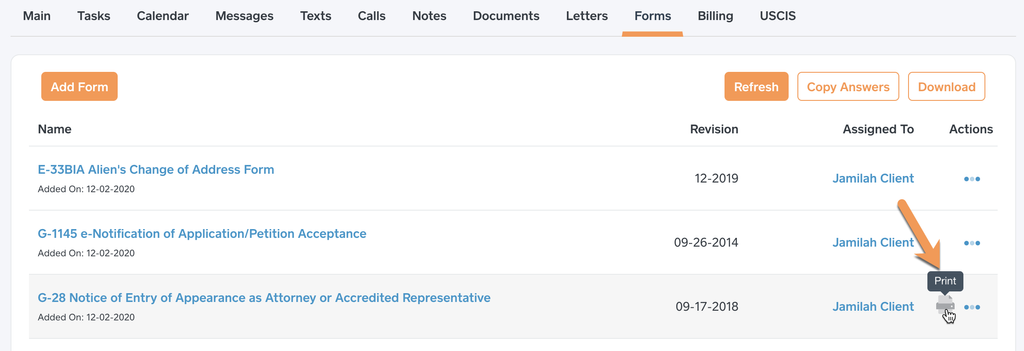
Place your mouse of the row for the form.
-
The Print icon will display in the actions column.
-
Click the Print icon which will print the form with “N/A†in the blank fields.
Please note: The system does not save N/A as the answer for a blank field. We do this on purpose in case the PDF form needs to edited after it's been printed. If the user sees a N/A they will know it was explicitly inputted by someone, otherwise it would be impossible to make that determination if the system saved N/A for all blank fields.
Related articles