
Problem

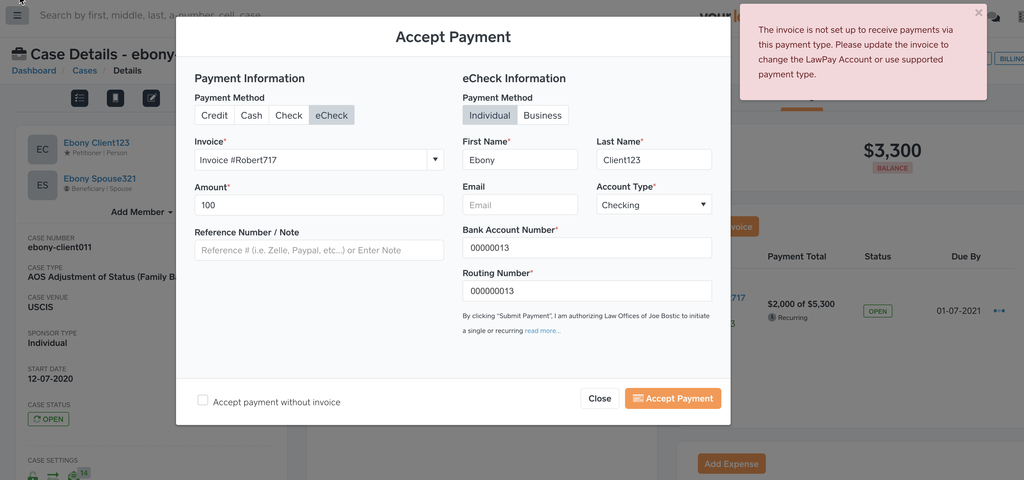
Accepting payment or client making a payment and the following error occurs.
Error

The invoice is not set up to receive payments via this payment type. Please update the invoice to change the LawPay Account or use supported payment type.
Solution
The invoice’s LawPay Account needs to be changed to accept the Payment Type being used by the staff/user.
Trying to accept a Credit Card, then the LawPay Account should be Operating.
Trying to accept an eCheck, then the LawPay Account should be eCheck.
Why? LawPay requires the transaction requests for eCheck and Credit Card to be different and there could be multiple accounts, so we have to know what account to apply the payment.