
A staff member can give access and take away access to the Client Portal at any time (when creating the client or later in the process). The key to giving access to the Client Portal is to Enable access within the Client’s Profile.
Instructions
Go to the Client’s Profile. Easiest way is to use the Search Bar at the top of the screen (type the first name or last name and hit the ‘enter’ key).
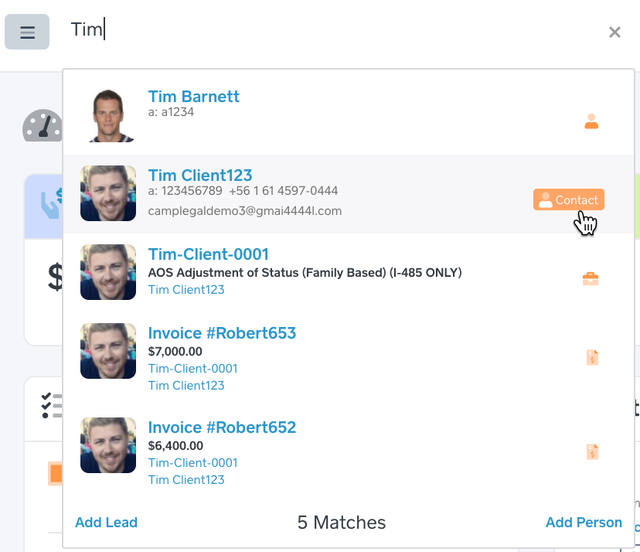
In the Search Results, click the client’s name.
Click the Edit Person button (top right)

Client Portal Access should be Enabled.
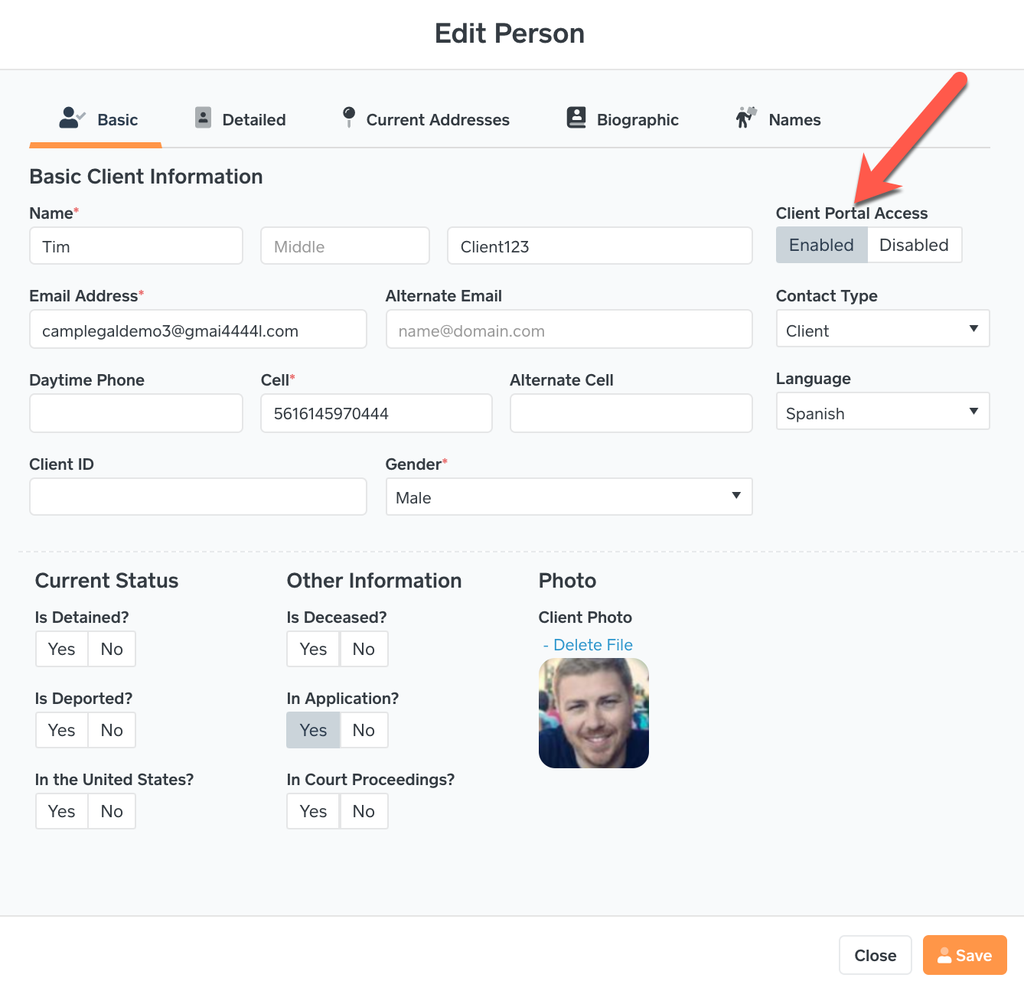
When the Client Portal Access is changed to Enabled, an email is automatically sent to the client’s email address. Please note: The email will have the law firm’s logo, not CampLegal’s.
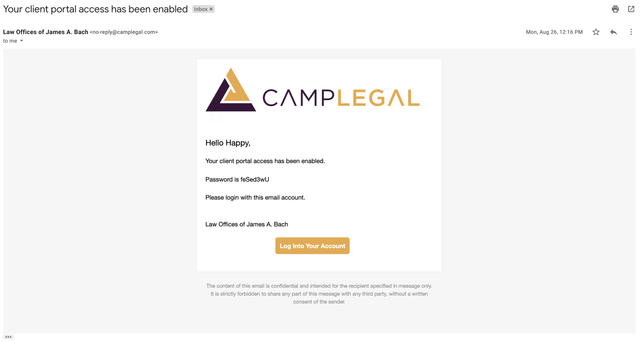
The client will click the ‘Log into Your Account’ button, use their email and the password in the email to log into the Client Portal.
