Here's a quick recap of this feature: Client's email will be their login, and password can be reset within their Contact Details Page.
Instructions
Client Portal Submission Status is about the first step to the client portal, where the Client will only have access to edit and complete their profile.
Once done, the lawyer will receive a notification to Review.
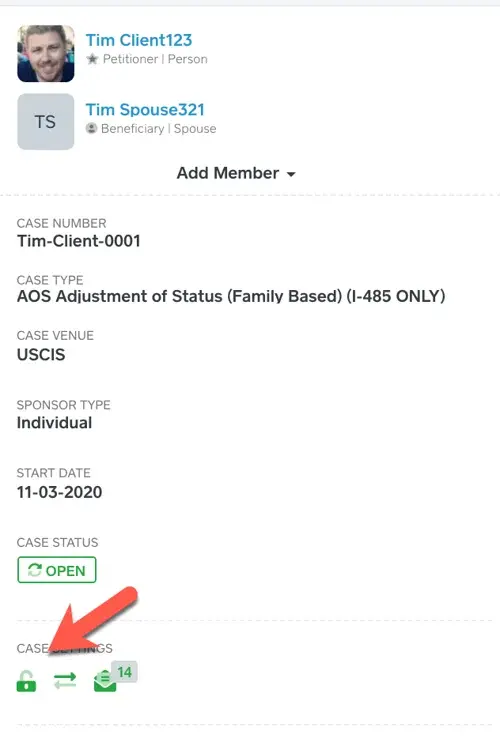
Good to proceed, click Accept (Please note: Client will still be able to edit Contact Details unless you click Lock. If you want them to still have the access to edit, but not to everything, use the On/Off feature in profile.)
If it is not ready, click Waiting and it will kick it back to the client to redo.
Once Accepted, the client will be now able to view their case, where they can see/complete tasks, the questionnaire, and documents.
"Where is the questionnaire and can it be hidden from the Client?"
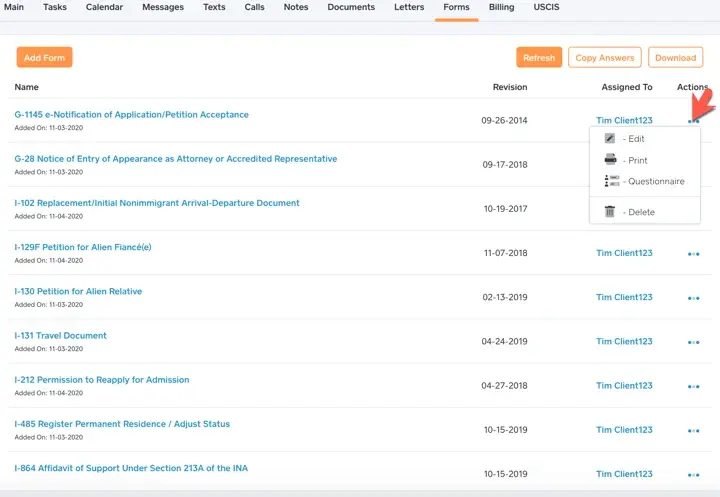
Questionnaire can be found in a Case under Forms and Yes, with the lock under Case Details.