
 Problem
Google Calendar is not displaying on Camplegal and you have your Google Account connected.
​
 Solution
The issue is resolved by reconnecting your Google Account.
Go into your Settings > Apps
Unlink your Google Calendar by following the steps in the picture below.
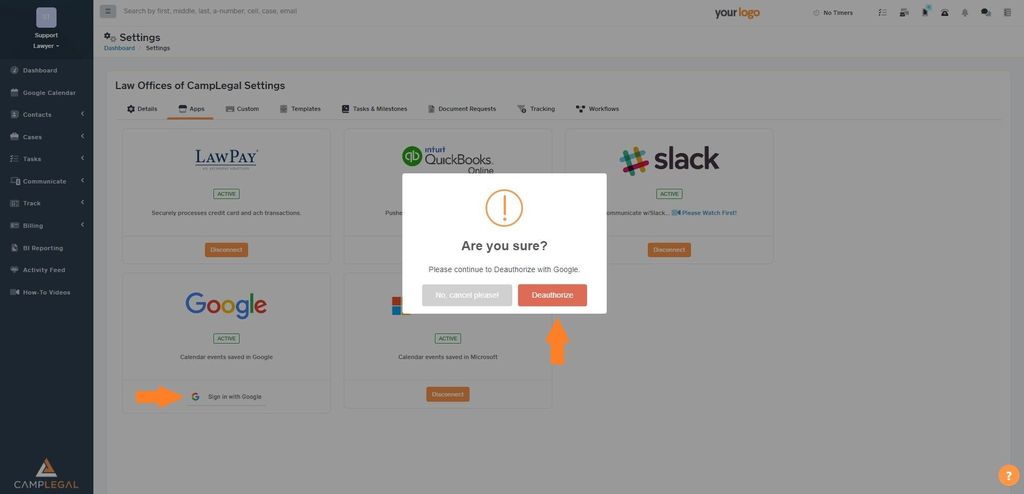
Log out of CampLegal and log back in again.
Go again to Settings > Apps and link your Google Calendar again.
Log out and back in.

Remember to log out and log back into Camplegal for the changes to apply.

If the issue remains after carefully following the previous steps, clear your Cache and cookies following this guide and try again.
