
Problem

I cannot find my the Preparer section to update the data.
Solution
The Preparer information is located in the User’s profile for an Attorney.
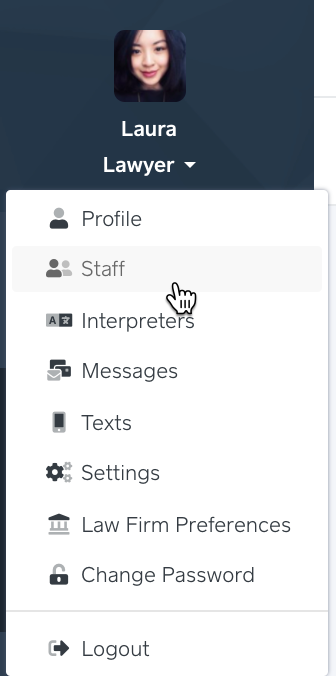
Go to Staff (in the dropdown under your name).
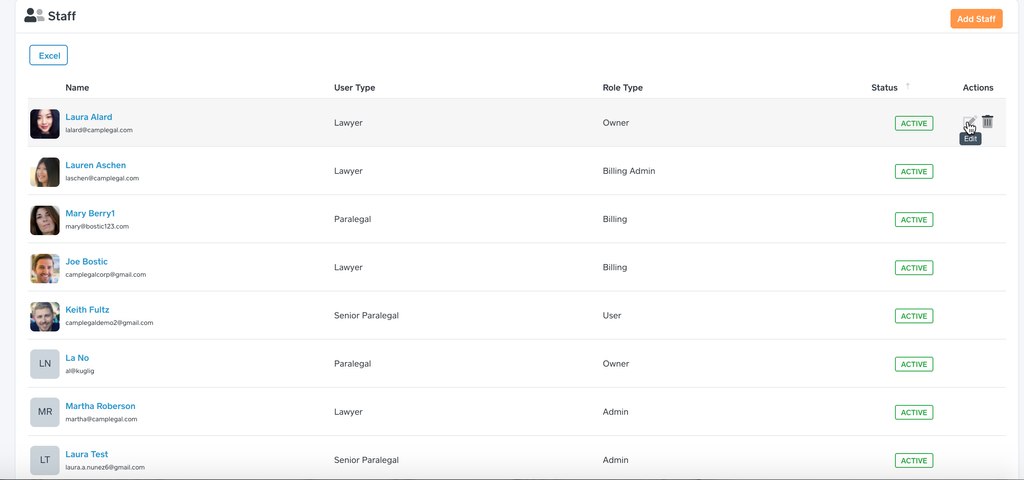
Put your cursor over the row of the Attorney you would like to edit.
In the Actions sections, click Edit.
You will see the Preparer section in the bottom-half of the screen. If you do not see it, the User Type must be set to Lawyer.
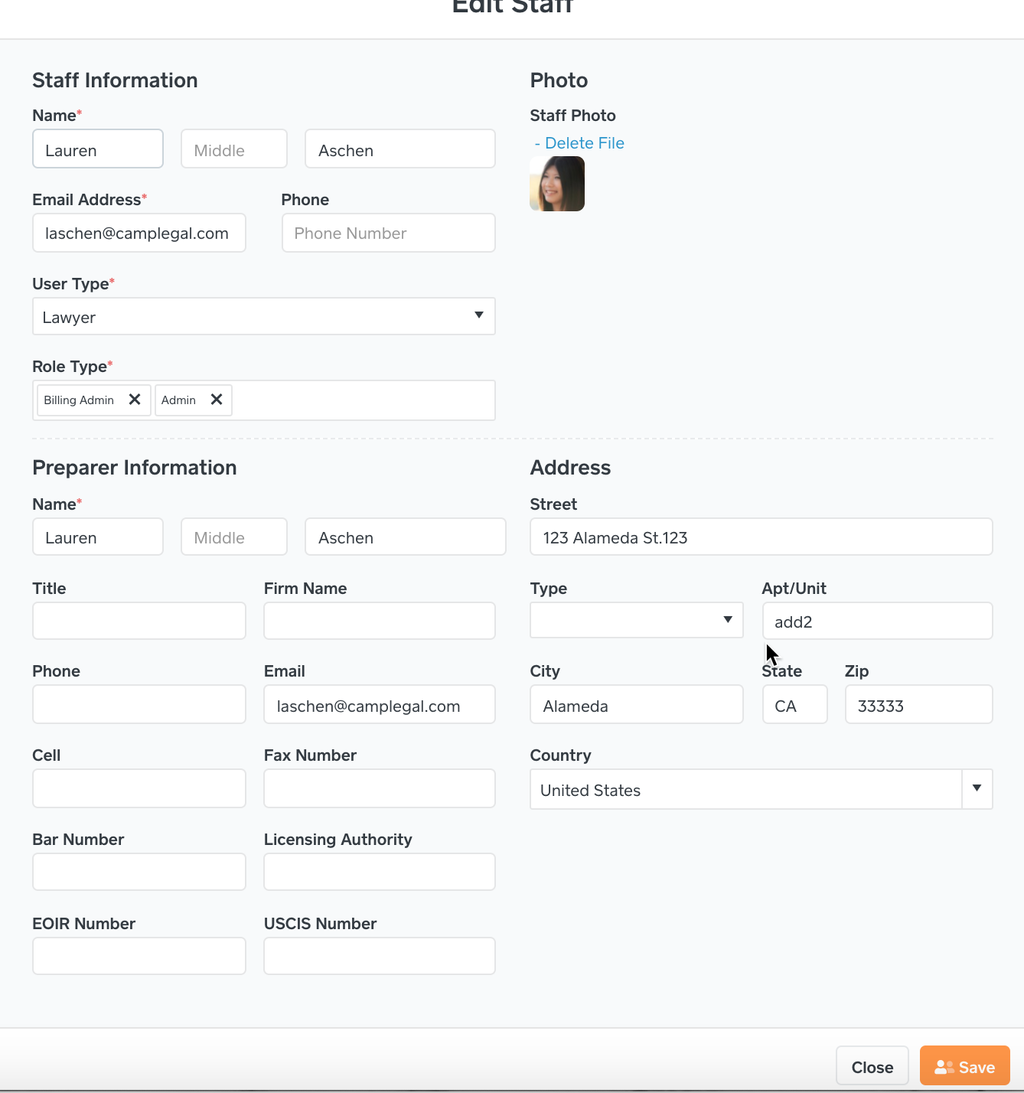
Click Save.
If you have a forms within a Case that needs this new information, use the Refresh button in the Forms section of the Case.
Every attorney in the system can have the own address for the Preparer section. We designed the system to support firms with different locations.